
How to Create a New Brand
Last updated: May 11, 2026
Learn how to quickly set up a new brand within the dashboard. This guide provides a straightforward process for entering your brand details so you can begin building your brand guide immediately.
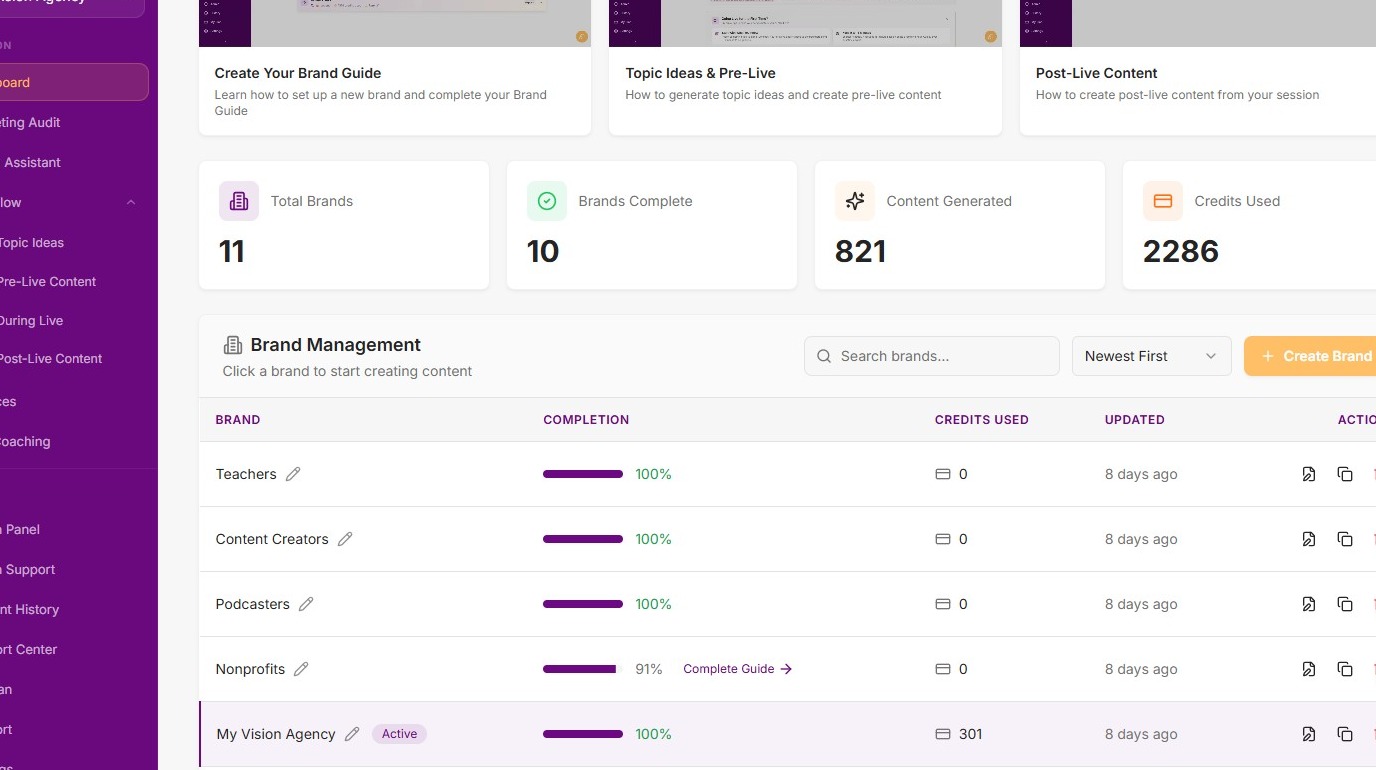
1. Navigate to the dashboard
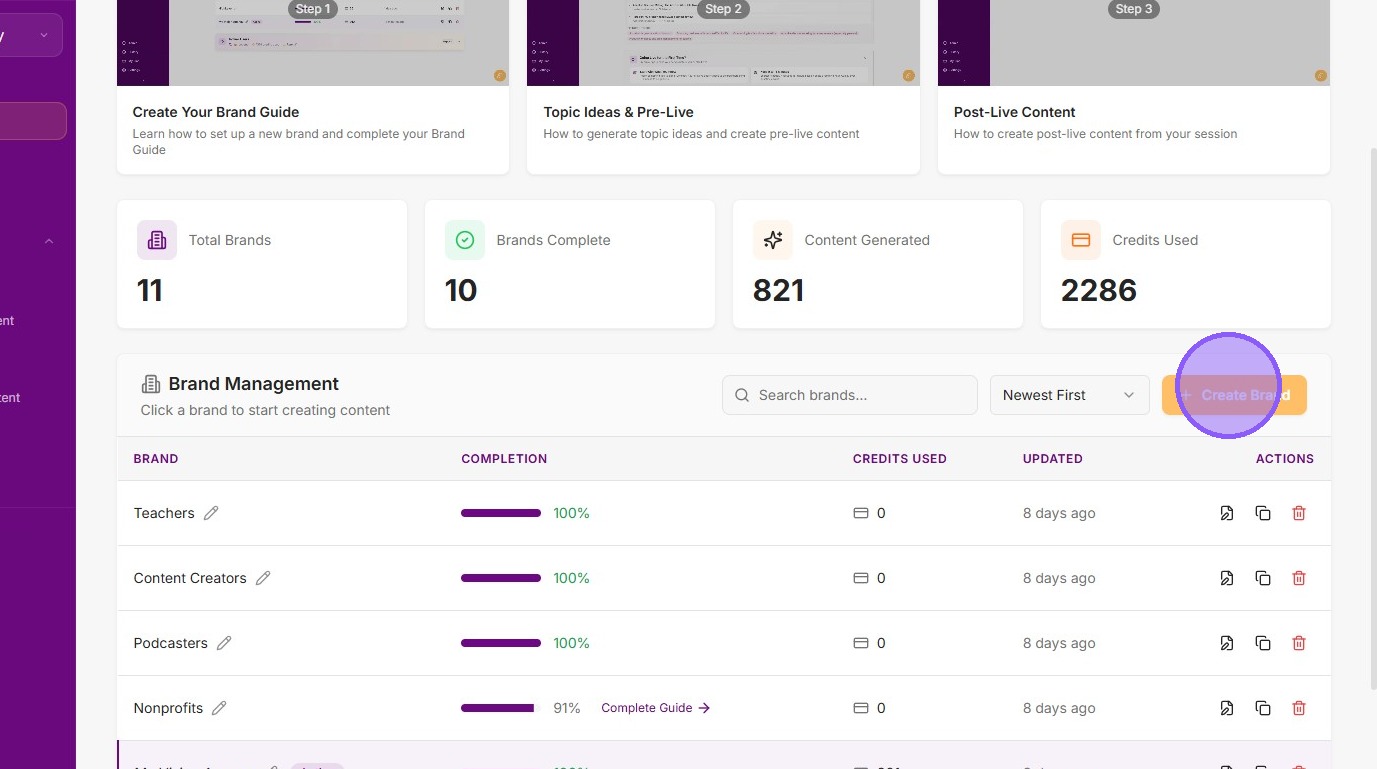
2. Click "Create Brand"

3. Enter brand name and your name
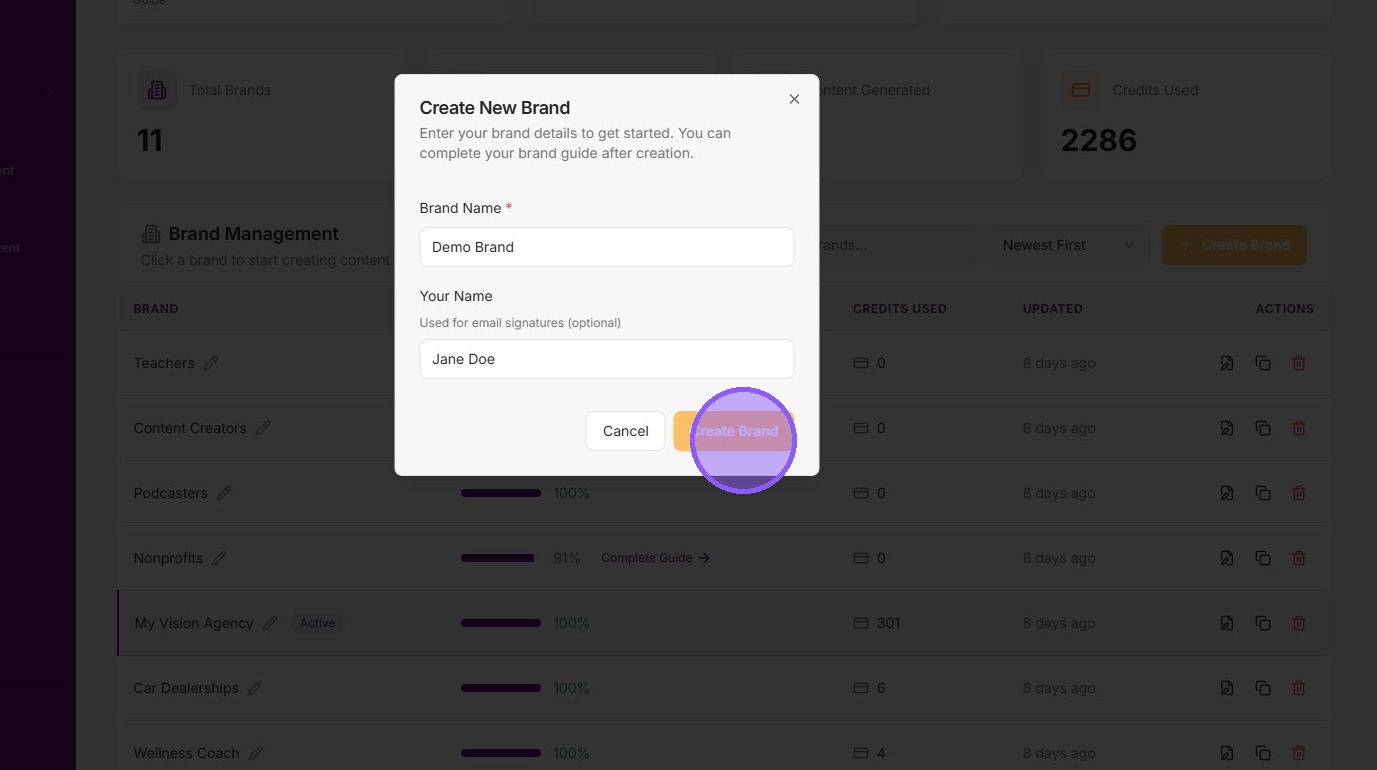
4. Click "Create Brand" to save
Was this helpful?