How to Import Affiliate Links Into My Vision Agency
Your My Vision Agency affiliate link earns you money every time someone you refer signs up for MVA. But sharing a raw affiliate link is awkward and rarely converts. Instead, you copy your affiliate link, paste it into your Brand Guide, and share the Brand Guide link itself. When your prospect clicks "Import to My Account" from inside your shared Brand Guide, your affiliate code is attached automatically — and you earn 30% commission on their monthly subscription plus $500 on any Done-For-You service they purchase. This article walks you through the full workflow step by step.
What you'll learn:
- Why sharing your Brand Guide converts better than sharing a raw affiliate link
- How to copy your affiliate link from the Affiliates section
- How to paste it into the Your Affiliate Link field inside MVA
- How to share your Brand Guide with prospects
- What happens when your prospect clicks "Import to My Account"
- The commission you earn on every referral
The Strategy: Share Your Brand Guide, Not a Raw Affiliate Link
Most affiliates share their raw affiliate URL and hope for the best. That approach is broken for two reasons:
- Raw affiliate links feel cold. Your prospect lands on a generic sign-up page with no context about who you are or why they should trust you.
- The conversion rate is awful. Without context, most prospects bounce before they sign up.
The fix is to share your Brand Guide instead. Your Brand Guide:
- Introduces you as the expert
- Shows prospects what your brand is about
- Carries your affiliate code automatically once you set it up
- Gives them a clean path to "Import to My Account" — which creates their MVA account under your affiliate
What you earn: When your referral clicks "Import to My Account" and signs up for MVA, you earn 30% commission on every monthly subscription plus $500 on any Done-For-You service they purchase. The setup below takes less than 5 minutes.
Affiliate Link Retrieval
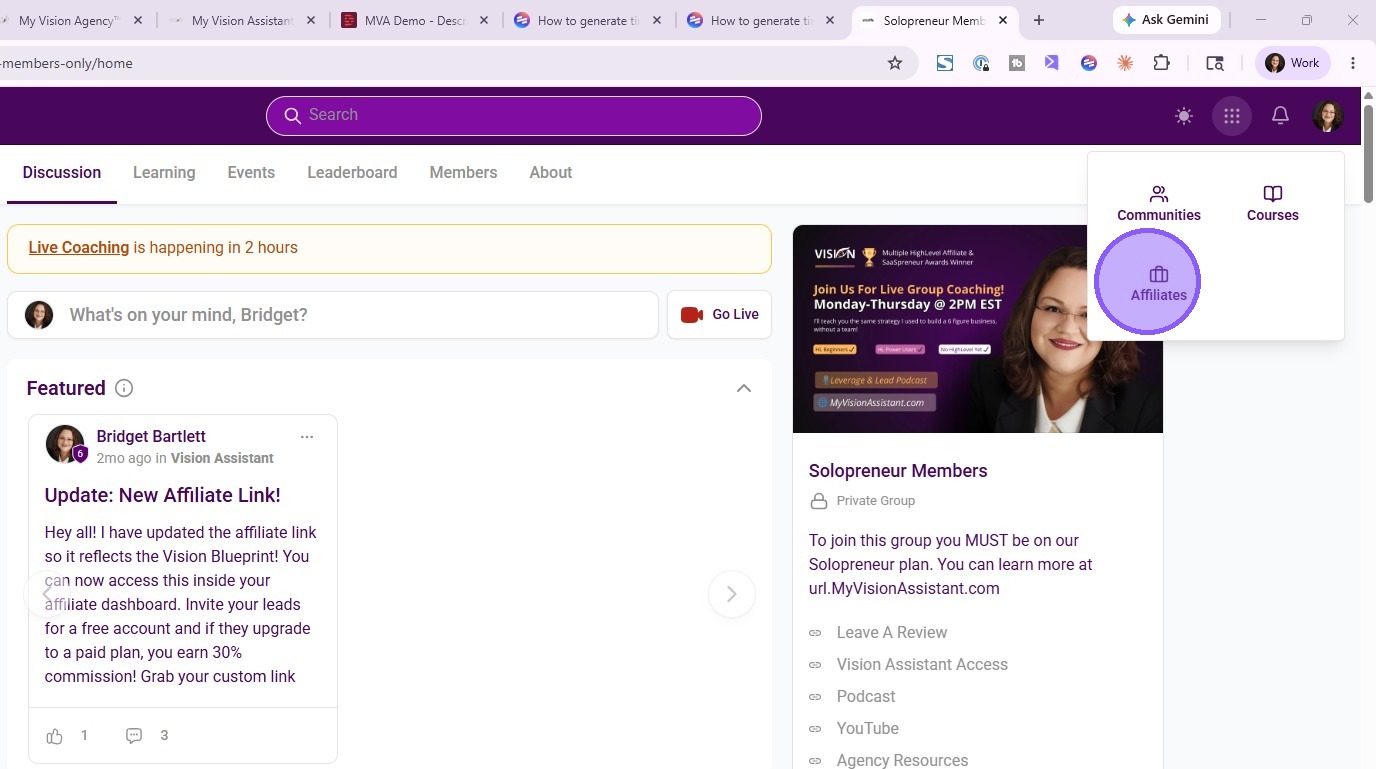
1. Click "Affiliates"
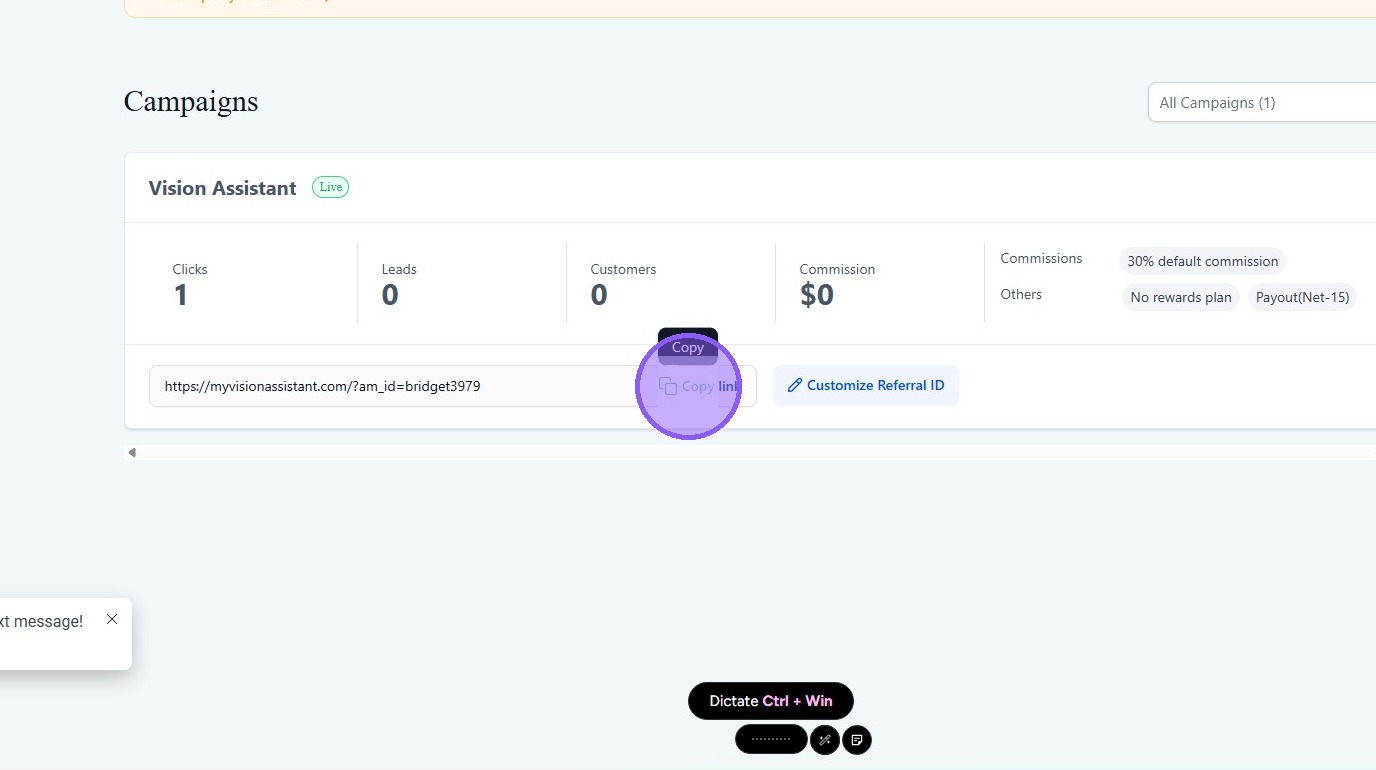
2. Click "Copy link"
Affiliate Link Configuration
3. Navigate to My Vision Assistant tab
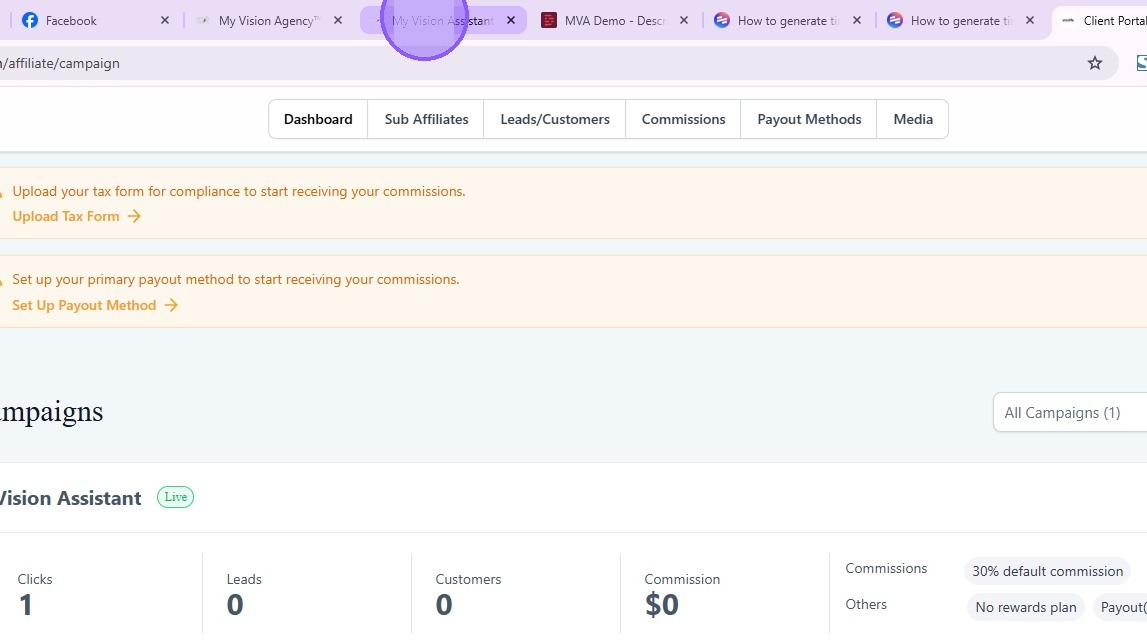
4. Paste affiliate link into "Your Affiliate Link" field

5. Click "Save"
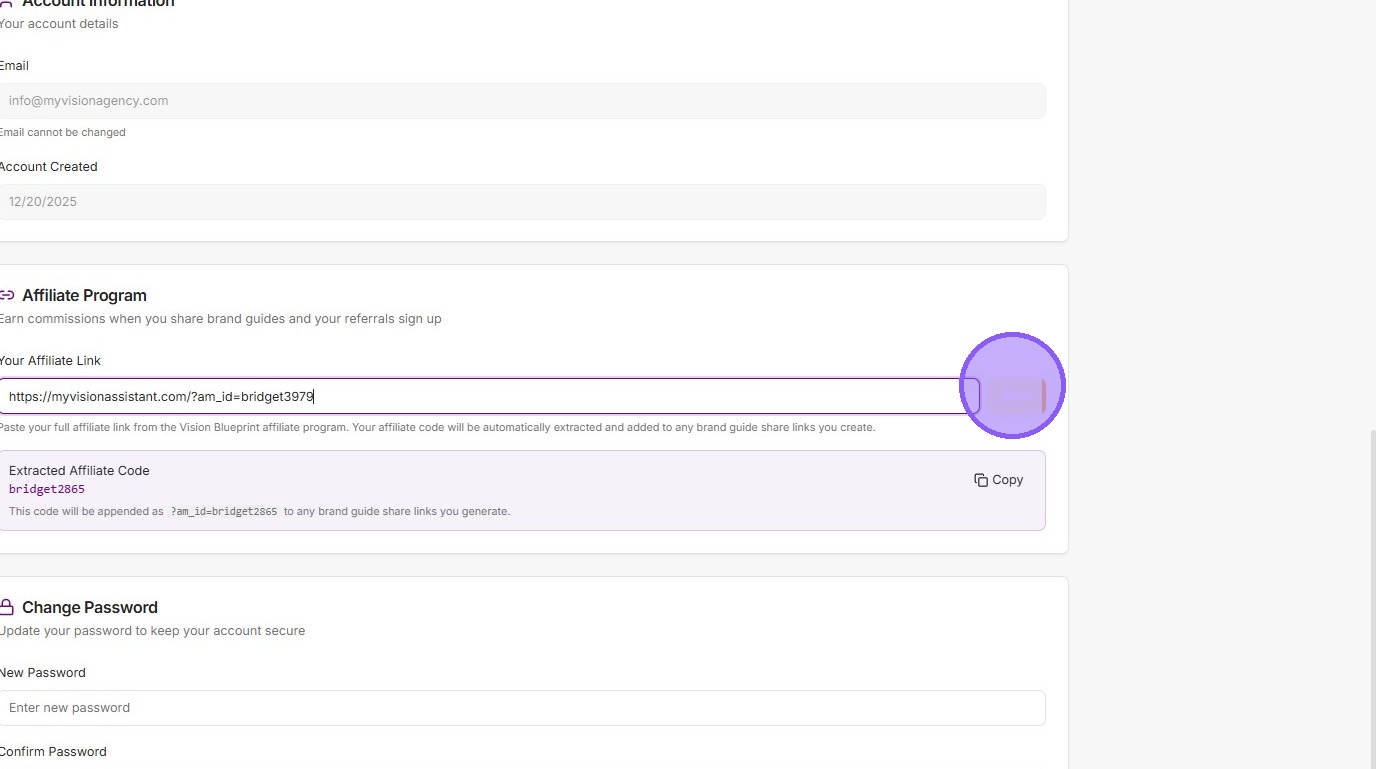
Brand Guide Sharing
6. Select brand from sidebar menu
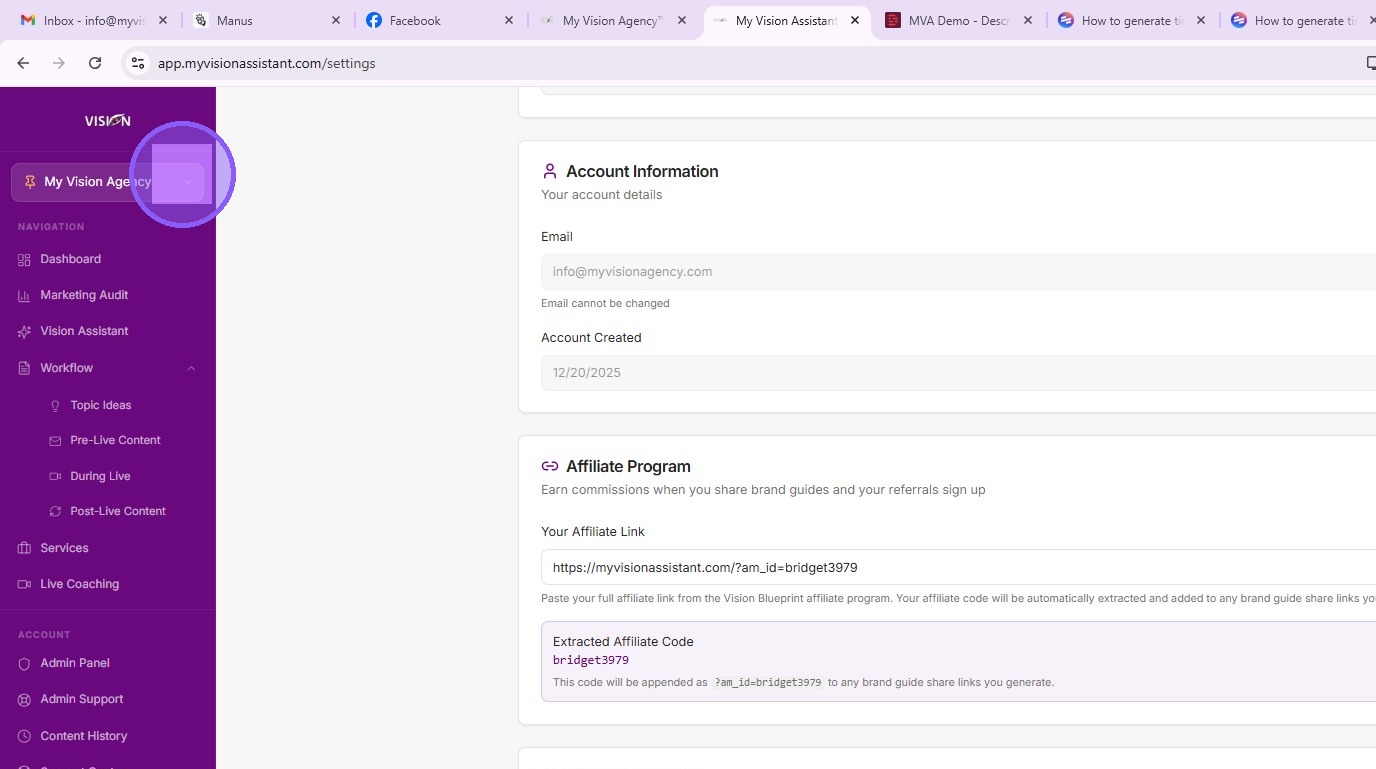
7. Click "Edit" to manage Brand Guide
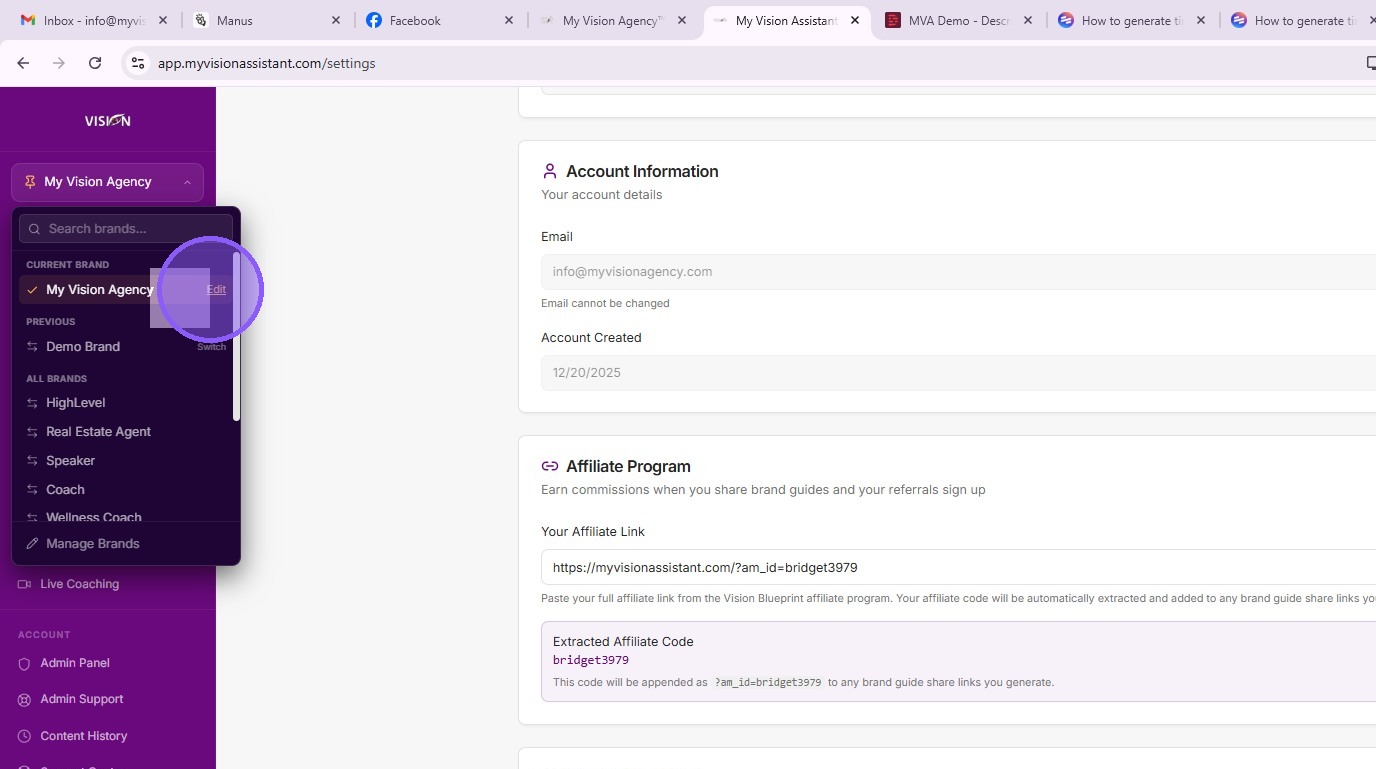
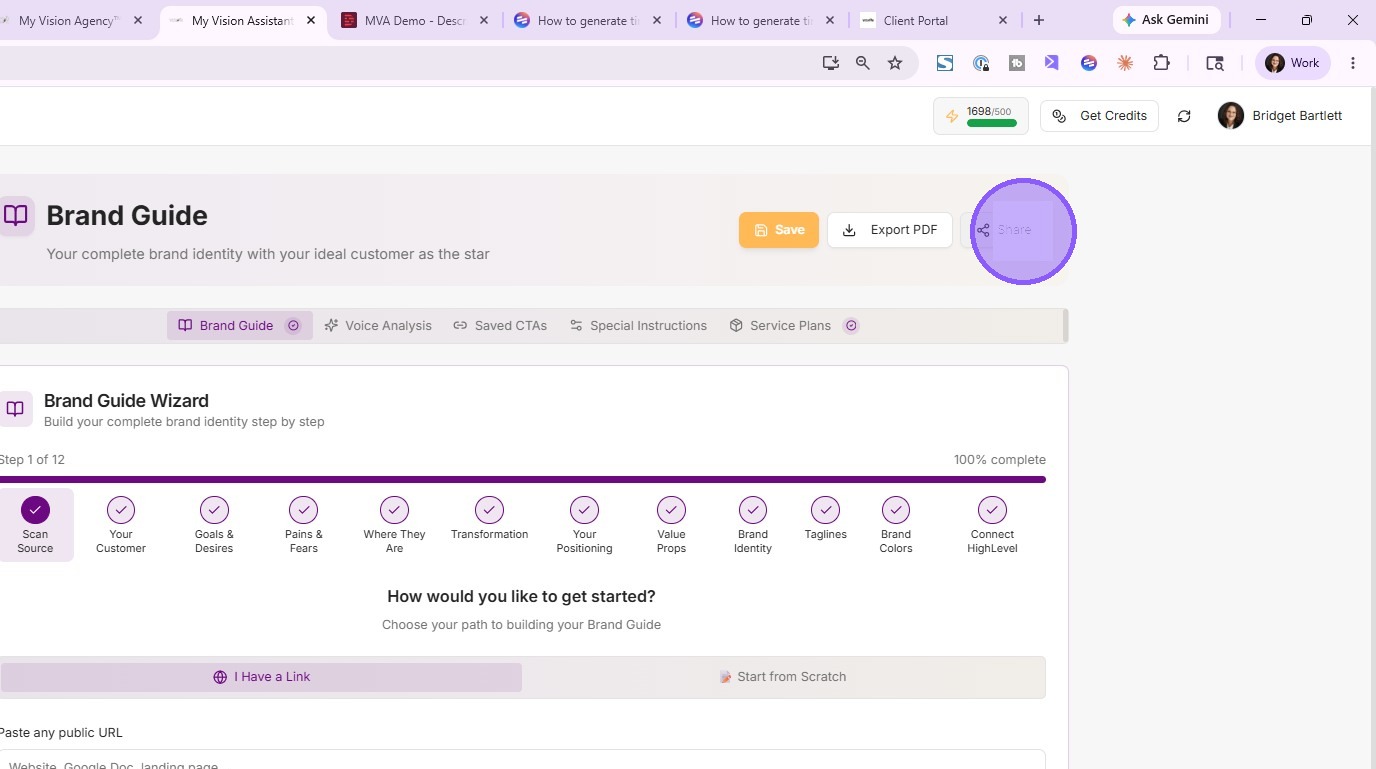
8. Click "Share" to copy Brand Guide link with affiliate code attached
Brand Guide Import — How You Earn
9. Your prospect clicks "Import to My Account"
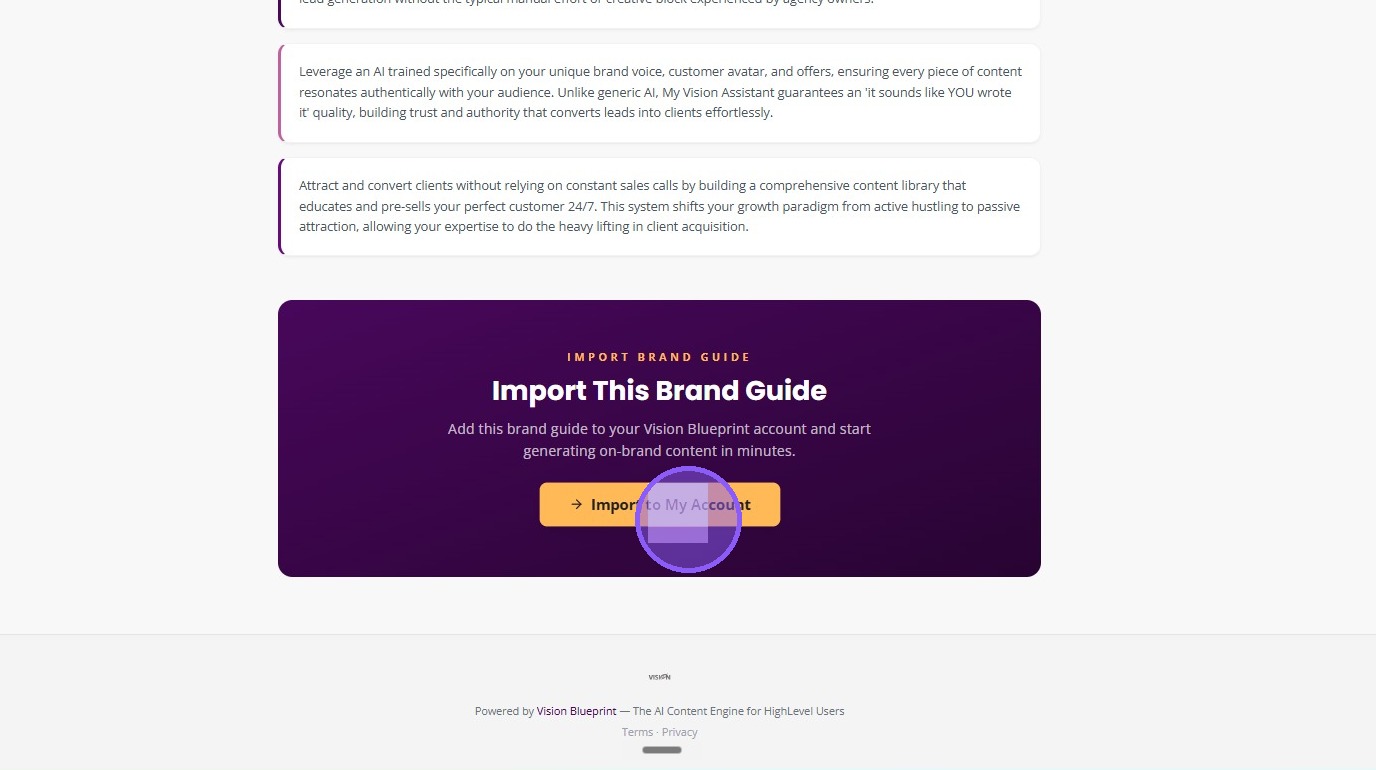
This is the payoff. When your prospect clicks Import to My Account from inside your shared Brand Guide, they create their own MVA account — with your affiliate code attached automatically. You earn 30% commission on every monthly subscription they pay for, plus $500 on any Done-For-You service they purchase.
Where to Share Your Brand Guide Link
Once your Brand Guide link is ready, share it everywhere your audience touches. Some great places:
- Social media bios — Instagram, TikTok, LinkedIn, Twitter, and any other platform where you have a link in bio
- Email signatures — every email you send becomes a potential affiliate touchpoint
- Community posts — share it whenever you talk about MVA
- Live training closing CTAs — point viewers to your Brand Guide as the next step
- Podcast and speaking engagements — your go-to link when promoting MVA
- Direct outreach — when someone asks how you built your business, send your Brand Guide
Frequently Asked Questions
What happens if I share the raw affiliate link instead of my Brand Guide?
You still get credit if someone signs up through that link. But you lose all the context the Brand Guide provides, and your conversion rate drops significantly. Always lead with your Brand Guide.
What is "Import to My Account"?
It is the button at the top of your shared Brand Guide that prospects click to create their own MVA account. When they click it from inside your shared link, your affiliate code is automatically attached to their signup.
How much do I earn per referral?
30% commission on every monthly subscription your referral pays for, plus $500 on any Done-For-You service they purchase.
Is the 30% commission recurring?
Check your MVA affiliate dashboard for the most current commission structure and payout details.
Can I update my affiliate link later?
Yes. Go back to the Affiliates section, copy the updated link, paste it into the Your Affiliate Link field in your MVA settings, and save. The Brand Guide link you share stays the same — but the affiliate code behind it updates.
How do I track my referrals and commissions?
Your affiliate dashboard inside MVA shows you clicks, signups, and earnings. Check it regularly to see how your shared Brand Guide is performing.
Can I share more than one Brand Guide?
Yes. If you have multiple brands set up (Solopreneur plan), each one has its own Brand Guide and its own share link. Your affiliate code attaches to whichever Brand Guide your prospect clicked through.
What if my prospect signs up later without clicking my Brand Guide link?
Affiliate attribution depends on the link they used to sign up. If they go to MVA directly (without clicking your Brand Guide), your affiliate code is not attached. That is why sharing your Brand Guide link consistently matters — every share is a potential commission.
Ready to start earning with the MVA affiliate program?
Hop into live coaching 4 days a week. We help you nail your affiliate strategy live.
Join Live Coaching →